Business Value guide
Score a software or system change request on what it's worth, then turn that into a priority index and a decision. You need an account and access to Business Value; ask for it under Your access on Your account.
1Describe the request
Open Menu, then Apps, and choose Business Value. Fill in the request's details and tick the Minimum inputs checklist. To see how a finished scorecard looks, pick one from Try an example.
2Score it
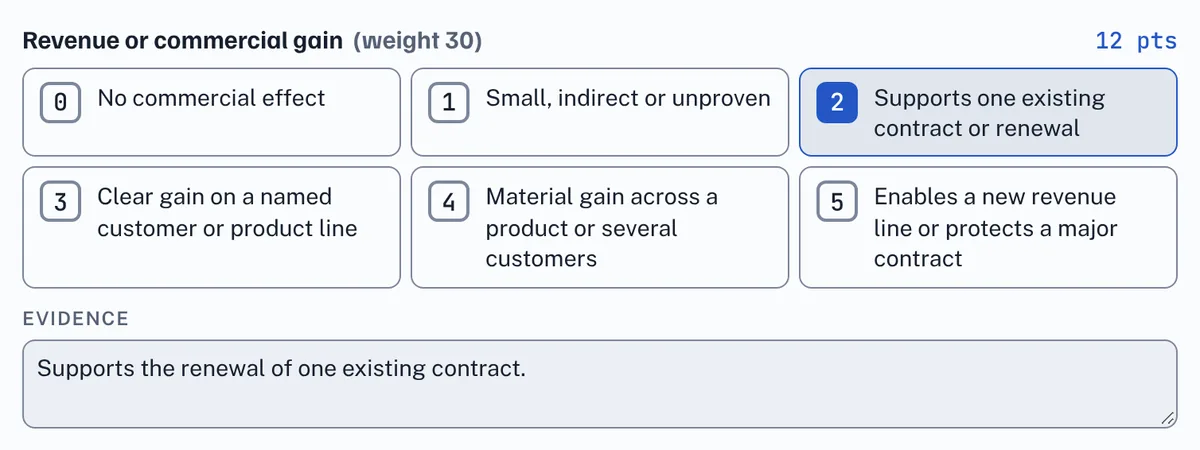
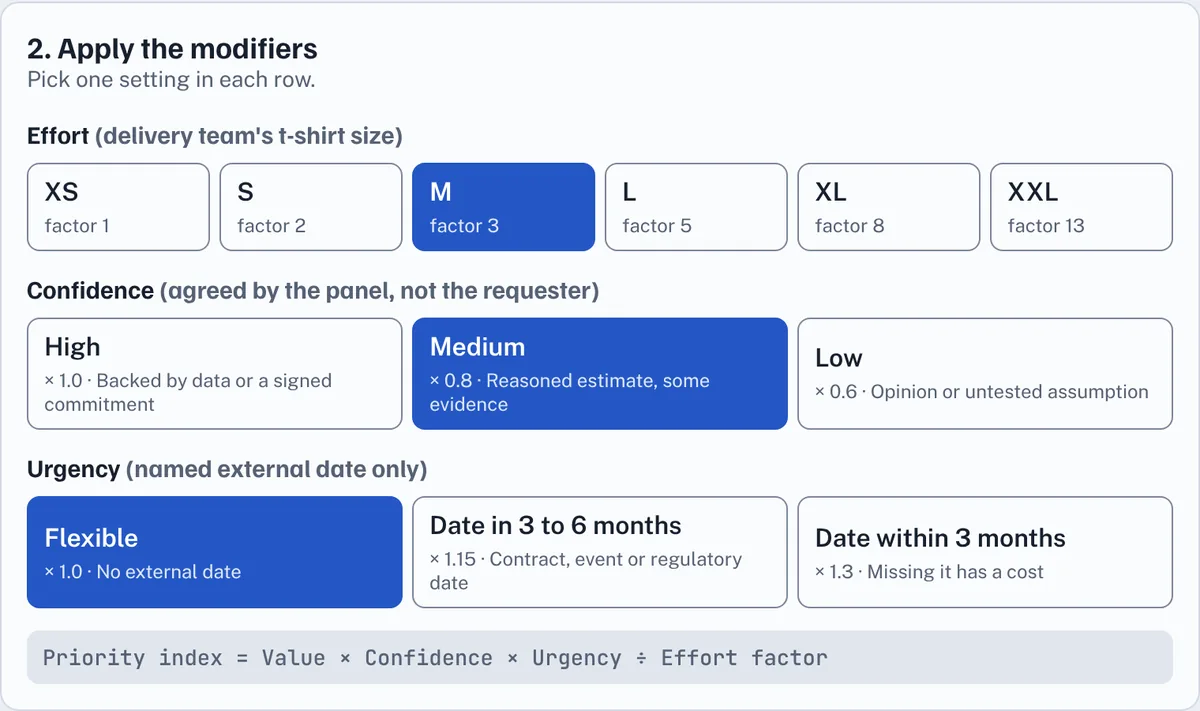
Score the four value drivers (revenue, cost, risk and customer impact) from 0 to 5 against the descriptions shown. Then set the modifiers: the delivery team's t-shirt size for Effort, the panel's Confidence, and Urgency only for a named external date. Choose a Lane and a Funding class.
3Read the decision
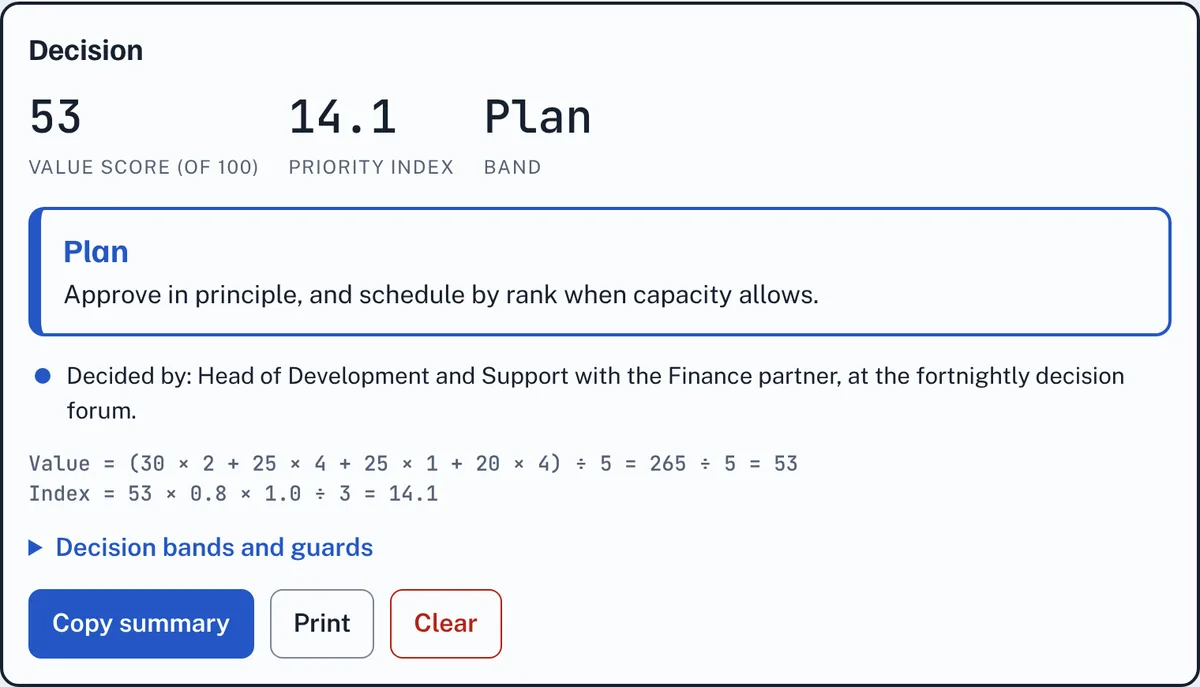
The Decision panel shows the value score, the priority index and the band: Do now, Plan, Shape or Decline. The running totals stay at the bottom of the screen while you work. Copy summary copies it all as text, and Print prints it.
4Good to know
- Everything is worked out in your browser. Your entries are kept only in this browser, linked to your account, until you press Clear or delete your account.
- The weights, anchors and bands are proposals still to be calibrated with Finance.
Glossary
The words used on the Business Value scorecard, A to Z.
- Anchor
- The description next to each score from 0 to 5. Pick the highest anchor you can back with evidence.
- Band
- What the priority index means: Do now (20 or more), Plan (10 to under 20), Shape (5 to under 10) or Decline (under 5).
- Change request
- A request to change a piece of software or a system, which the scorecard helps to rank.
- Confidence
- How sure the panel is of the scores: High (1.0), Medium (0.8) or Low (0.6). The panel decides it, not the requester.
- Effort
- The delivery team's T-shirt size for the work, from XS to XXL, which sets the effort factor the value is divided by (from 1 for XS to 13 for XXL).
- Evidence
- What backs a score: a revenue figure, hours saved, a risk or audit reference, tickets or usage data. A dimension without evidence scores 0.
- Funding class
- Who pays and how: Chargeable, Product investment, Mandatory (for the must-do lane) or Efficiency.
- Minimum inputs checklist
- What must be known before scoring. Until every box that applies is ticked, the result is marked provisional.
- Must-do lane
- Legal, regulatory, critical security and service-restoration changes. They skip ranking, but are still sized and funded.
- Priority index
- Value × Confidence × Urgency ÷ Effort factor. The higher it is, the sooner the change should be done.
- Urgency
- Only for a named external date: Flexible (1.0), a date in 3 to 6 months (1.15) or a date within 3 months (1.3).
- Value drivers
- The four things a request is scored on from 0 to 5: revenue, cost, risk and customer impact.
- Value score
- The weighted total of the value drivers, out of 100. A request scoring under 25 is declined whatever its index.
Cookie policy · Cookie settings · Accessibility · EstimateIt is an independent tool and is not affiliated with Atlassian or Jira. · Version 1.23.0